Read the operating dashboard
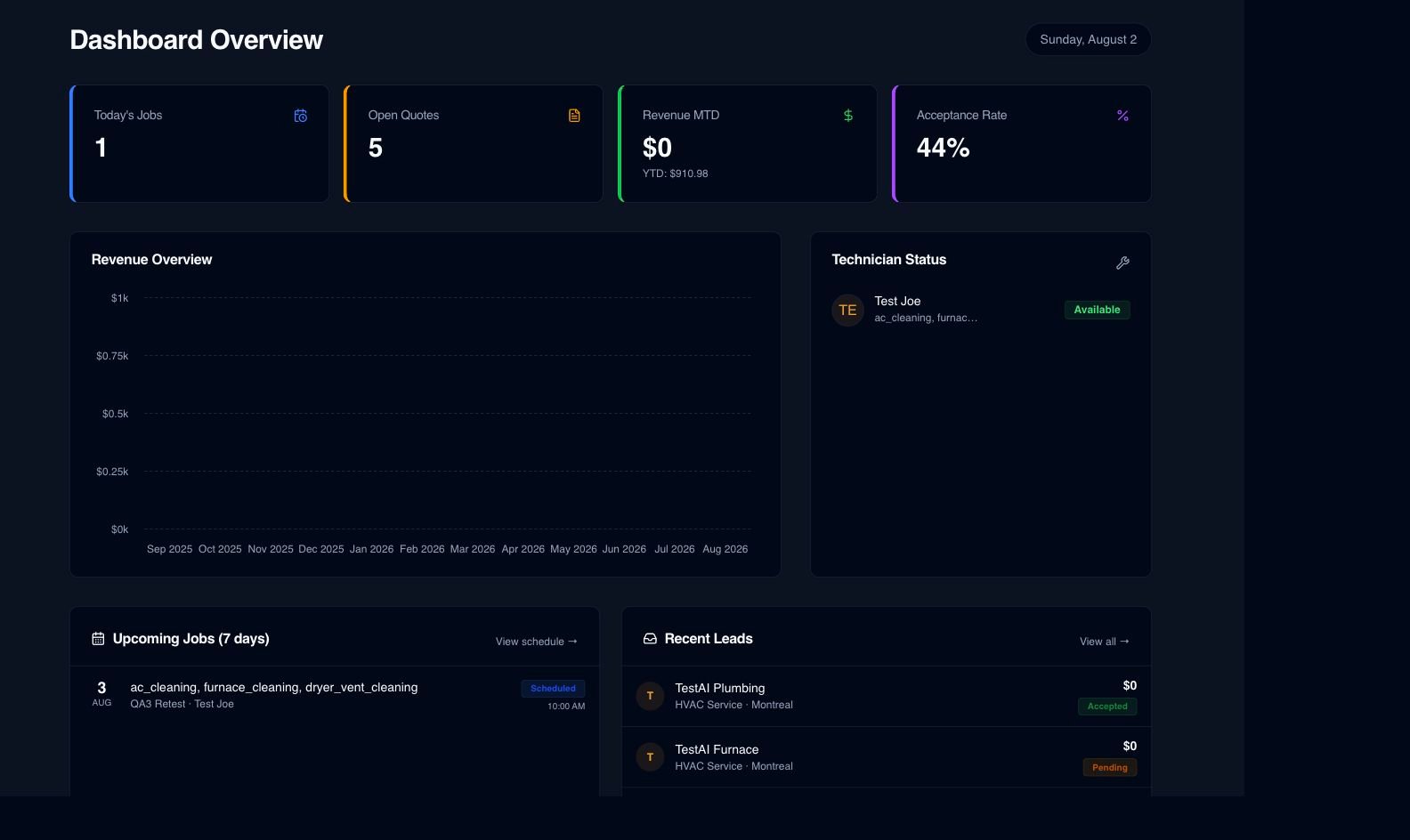
See current workflow, revenue and job signals in one administrative overview.
See what the work is producing
Dashboards and reports bring together revenue, quotes, zones, technicians, receivables and job costs. Labor actuals use an approximate dispatch-to-completion window or an estimate fallback, so the calculation remains transparent.
What is already in the product
See current workflow, revenue and job signals in one administrative overview.
Reports can break down performance by quote activity, service area, technician, service and customer.
Aged-receivable views help the office identify balances that have remained open.
Job expenses and approved quote revenue feed the costing view alongside permitted labor information.
Burdened technician rates use approximate dispatch-to-completion time when available, or estimated time as a fallback.
Permission-gated CSV output lets authorized users continue analysis outside Serberus when needed.
How the handoff works
Every major workflow answers the same five questions: what starts it, which rules apply, what Serberus completes, when it asks, and where the result remains visible.
Quotes, jobs, invoices, expenses and permitted time activity create new operational and financial data.
You set financial permissions, burdened rates, filters, date ranges and reporting scope.
Serberus calculates the supported rollups, profit signals and warnings from the available records.
It asks the user to interpret approximate labor, missing costs or an unusual margin before acting on the result.
See the result in the dashboard, report views, job costing card and permitted CSV exports.

From office to field
The same request, schedule, customer details, photos, notes, status, and next action stay available as work moves from the office to the site.
Real product screen
This image comes from the current Serberus application. Interface details may evolve, but the workflow shown here is part of the product surface audited for this site.
Serberus
Serberus does the heavy lifting, brings the exceptions back to you, and keeps the result visible.