Connect business SMS
Each configured organization can use its own Twilio credentials for supported two-way customer messaging.
Connect the workflows already in use
Serberus currently connects two-way SMS through Twilio, two-way email through Resend and travel estimates through Google Routes. Organization-specific secret handling keeps supported credentials scoped, while other connector code is not presented as a verified live sync until it completes real production acceptance.
What is already in the product
Each configured organization can use its own Twilio credentials for supported two-way customer messaging.
Resend carries supported quote, invoice and booking notices, then returns verified customer replies to the same shared thread used for SMS.
Google Routes supports distance and travel-time checks used by service-area, scheduling and ETA workflows.
Organization-specific integration secrets are encrypted and retrieved for the relevant tenant workflow.
Permission-gated CSV import and export provide a deliberate handoff when a direct live sync is not available.
A connector is described as live only after its credential flow and supported data path are verified in the real environment.
How the handoff works
Every major workflow answers the same five questions: what starts it, which rules apply, what Serberus completes, when it asks, and where the result remains visible.
A supported workflow needs to send a message, email or request travel information.
You configure the supported provider credentials, organization settings, permissions and communication or distance policies.
Serberus calls the verified provider for that supported action and attaches the result to the relevant workflow.
It asks for configuration or human action when credentials, provider response or a non-live connector cannot complete the step.
See supported outcomes in the message, email, route-based workflow and organization integration settings.

From office to field
The same request, schedule, customer details, photos, notes, status, and next action stay available as work moves from the office to the site.
Real product screen
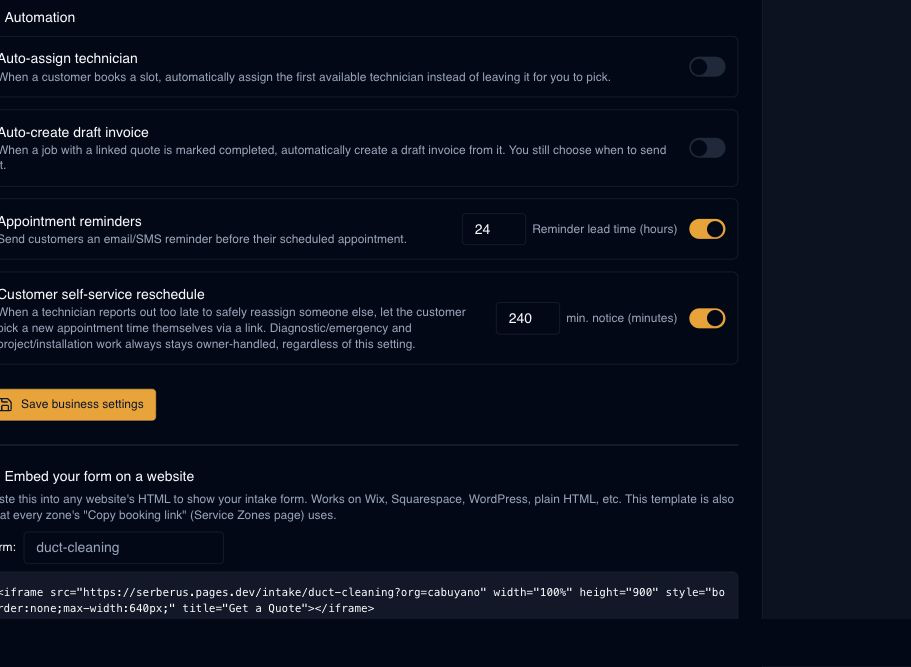
This image comes from the current Serberus application. Interface details may evolve, but the workflow shown here is part of the product surface audited for this site.
Serberus
Serberus does the heavy lifting, brings the exceptions back to you, and keeps the result visible.